Musculoskeletal disorders linked to poor posture and sedentary habits now account for nearly 30% of all global workplace injuries. That single number explains why so many of us are rethinking our desks, chairs, and workspace accessories this year. Investing in the right ergonomic office furniture isn’t a luxury anymore, it’s become a basic requirement for anyone spending eight or more hours a day at a computer.
Key Takeaways
- Ergonomic office furniture reduces injury risk. Proper chairs, desks, and accessories address the postural strain responsible for a large share of workplace injuries.
- Chairs dominate the market. An ergonomic office chair remains the single most impactful purchase you can make for daily comfort.
- Desk mats matter more than most people think. Learn more in our desk mat benefits collection.
- Home offices need the same standards as corporate ones. See our home office guides for setup tips.
- Style and support aren’t mutually exclusive. Check out aesthetic ergonomic pairings that look as good as they feel.
- Maintenance extends the life of your investment. Our care and maintenance resources cover cleaning and protection.
- Bigger desks need bigger support. Explore large desk mat options for expansive workspaces.
| Question | Quick Answer |
|---|---|
| What counts as ergonomic office furniture? | Chairs, desks, and accessories designed around body mechanics to reduce strain and support natural posture. |
| Is an ergonomic office chair worth the cost? | Yes, for anyone sitting more than four hours a day, since it directly reduces musculoskeletal strain over time. |
| Do desk mats actually improve ergonomics? | A quality desk mat provides wrist support, stable surfaces, and reduces micro-strain from repetitive mouse and keyboard movement. |
What Makes Office Furniture Truly Ergonomic?
The word “ergonomic” gets used loosely, but genuine ergonomic office furniture is built around how your body actually moves and holds weight over long periods.
That means adjustable heights, supportive contours, and materials that reduce pressure points rather than just looking modern.
A proper ergonomic setup typically checks off several boxes at once: seat height, lumbar support, monitor position, wrist alignment, and desk surface stability all work together.
This is why the ergonomic desk setup checklist we’ve put together is measurement-driven rather than guesswork. It walks through the specific adjustments that separate a comfortable workstation from one that quietly causes strain.
Choosing the Right Ergonomic Office Chair for Your Workspace
Your chair is the single piece of furniture your body touches for the longest stretch of the day, which is why an ergonomic office chair deserves the biggest slice of your budget.
Whether you’re shopping for a traditional office desk chair ergonomic model for a corporate setting or a study chair ergonomic option for a smaller home desk, the fundamentals stay the same: adjustable lumbar support, seat depth control, and armrests that move with you.
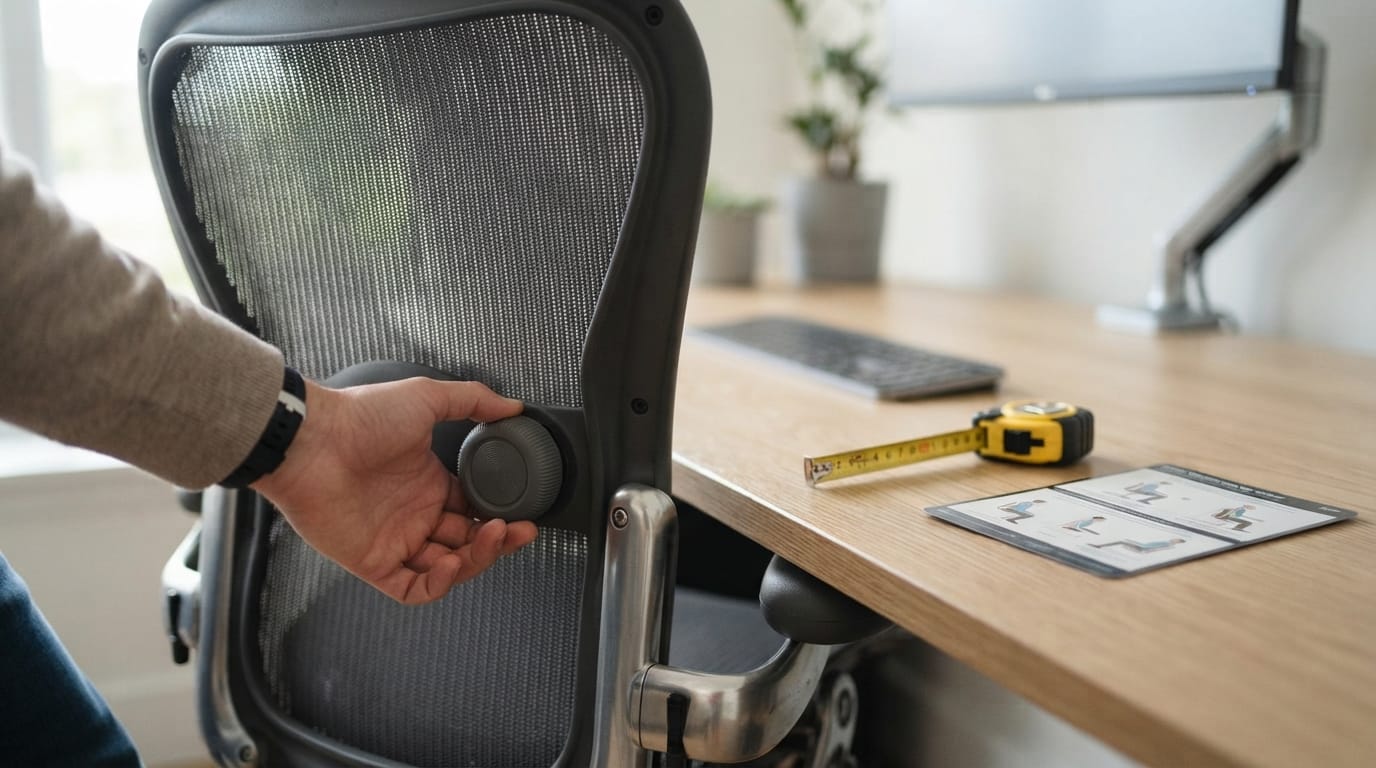
- Lumbar support should follow the natural curve of your lower spine, not just push against your back.
- Seat height and depth need independent adjustment so your feet stay flat and your knees sit at roughly 90 degrees.
- Armrest height should let your shoulders relax rather than hunch upward.
An ergonometric office chair designed with these features in mind will feel noticeably different within the first week of use, particularly for people transitioning from a standard task chair.
Ergonomic Gaming Chairs vs Traditional Office Seating
The line between an ergonomic gamer chair and a standard chair office ergonomic model has blurred considerably over the past couple of years.
Gaming chairs now borrow heavily from office ergonomics research, adding reclining mechanisms, headrests, and adjustable armrests that rival dedicated task chairs.
The main difference tends to be aesthetic rather than functional: gaming chairs lean into bold styling, while office models stay closer to minimalist, boardroom-friendly designs.
If you split your time between work and gaming at the same desk, a hybrid chair ergonomic office model with a firmer seat pan and stronger lumbar contour usually serves both purposes well.
Ergonomic Desk Accessories That Complete Your Setup
A great chair and an adjustable desk only get you halfway to a fully supportive workspace.
The accessories around your keyboard and mouse matter just as much for day-to-day comfort. Neoprene desk mats, for example, are specifically engineered to reduce wrist strain while keeping your peripherals stable during long work sessions.
These mats also address a smaller but real annoyance: excessive typing and clicking noise. Advanced dampening materials can cut that noise by more than 90% compared to standard hard-surface setups, which matters if you share a home office or take frequent video calls.
Anti-slip backing is another feature worth prioritizing. It keeps your mat, keyboard, and mouse anchored in place instead of sliding around during focused work, which indirectly supports better wrist posture over time.
Why Desk Mats Are an Overlooked Ergonomic Office Furniture Essential
Most people think of ergonomic office furniture purely in terms of chairs and desks, but the surface you actually type and click on plays a bigger role than expected.
A well-designed mat provides a consistent, cushioned surface that reduces the micro-impact of repetitive movement on your wrists and forearms.
It also protects your desk itself from scratches, spills, and wear, which extends the usable life of higher-end desk investments.
Choosing between low and high texture surfaces affects more than comfort too. Research on tracking accuracy shows that switching to a higher DPI-compatible surface can cut input lag by up to 50%, a detail that matters for anyone doing detailed design or spreadsheet work all day.

Building an Ergonomic Home Office Setup That Works
Roughly 60% of professionals worldwide now work from home at least part-time, which means residential setups need to meet the same standards once reserved for corporate offices.
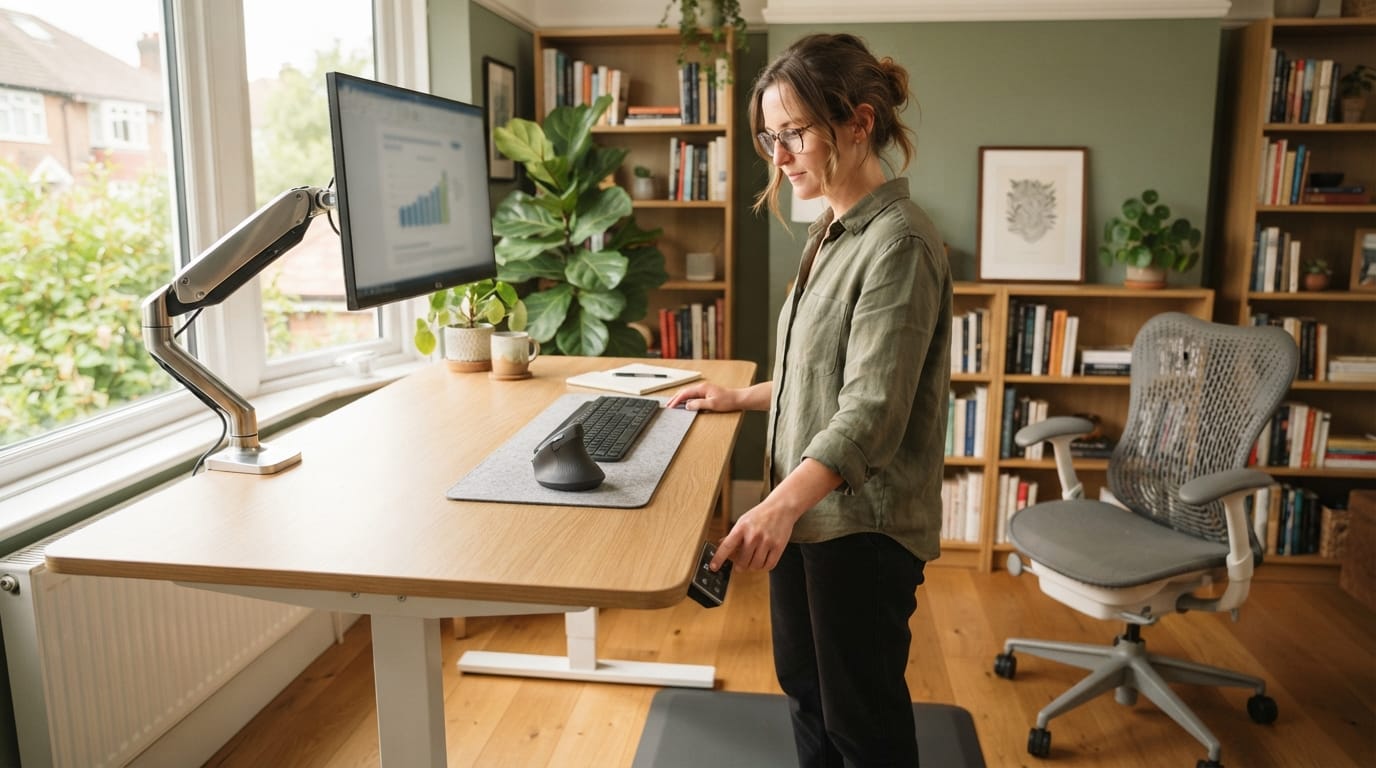
A functional home office starts with the same core pieces: a supportive chair, a height-adjustable desk, and accessories that reduce repetitive strain.
Our home office resource hub walks through how to combine desk mats, adjustable furniture, and supportive accessories without sacrificing the character of a smaller living space.
Height-adjustable desks in particular have become one of the fastest-growing categories in this space, expanding at roughly 8.1% annually as people increasingly treat them as wellness tools rather than simple furniture.
Aesthetics Meets Function in Ergonomic Office Furniture
There’s a persistent myth that supportive furniture has to look clinical or bulky.
In reality, modern ergonomic office seating and desk accessories are designed with material choices, colorways, and finishes that fit naturally into a stylish home or corporate interior.
Our aesthetics category explores exactly how design and ergonomics intersect, pairing ergonomic chairs and adjustable desks with mats and accessories that enhance the look of a workspace rather than detract from it.
This matters more as remote and hybrid work blur the line between home decor and functional office setup. Nobody wants their living room to look like a cubicle.
Large Desk Mats and Expansive Ergonomic Workspaces
Standard-sized mats work fine for compact desks, but anyone running dual monitors or a wide keyboard and mouse combo setup needs more surface area.
A properly sized large mat extends wrist support across the entire width of your workstation instead of leaving gaps where your desk surface is exposed.
Our large desk mat guides cover how bigger surfaces improve mouse precision and wrist stability specifically for expansive home office layouts.
This is especially relevant given that ergonomic chairs alone are projected to account for nearly 45% of the entire ergonomic furniture segment by the end of 2026, leaving desk accessories as an underappreciated but growing complement to seating.
Ergonomic chairs account for nearly half of all sales, with desks and accessories making up the rest.

Caring for Your Ergonomic Office Furniture Investment
Even the best ergonomic chair office chair combination or premium desk mat won’t hold up long without basic maintenance.
Neoprene and fabric surfaces collect dust, oils, and debris over time, which can degrade grip and comfort if left unaddressed.
Our care and maintenance guides cover cleaning routines and protective habits that keep both mats and adjustable furniture performing the way they did on day one.
A little regular upkeep goes a long way toward protecting what is often a significant upfront investment in your workspace.
Conclusion
Building a healthier workspace doesn’t require replacing everything at once.
Start with the piece you use most, whether that’s an ergonomic office chair, an adjustable desk, or a supportive mat, and build outward from there.
Whether you’re outfitting a corporate floor or a small home corner, the right combination of ergonomic office furniture pays off in comfort, focus, and long-term physical health. Explore our full range of guides on the desk2k blog to find the right pieces for your specific setup.
Frequently Asked Questions
Is ergonomic office furniture worth it in 2026?
Yes, especially given that musculoskeletal disorders now account for nearly 30% of global workplace injuries. Investing in proper ergonomic office furniture reduces strain and can measurably improve daily productivity.
What is the difference between an ergonomic chair and a regular office chair?
An ergonomic office chair includes adjustable lumbar support, seat depth, and armrest height designed around body mechanics, while a regular chair typically offers fixed or minimal adjustability. The ergonomic version supports natural posture over long sitting periods rather than just providing a seat.
Do I need an ergonomic chair if I already have a standing desk?
Yes, since most people still sit for a significant portion of their workday even with a standing desk. Pairing an ergonomic office chair with height-adjustable furniture gives you full support in both positions.
Are ergonomic gaming chairs as good as office chairs for work?
Many ergonomic gamer chairs now include the same lumbar support and adjustability features as dedicated office models. The main differences are usually styling and price rather than actual ergonomic performance.
How much should I spend on ergonomic office furniture?
Budget varies widely, but prioritizing your chair first tends to deliver the biggest comfort improvement per dollar spent. Desk mats and smaller accessories are lower-cost ways to round out an ergonomic office seating setup without a major budget commitment.
Do desk mats really make a difference for ergonomics?
A quality desk mat provides wrist cushioning, surface stability, and can reduce noise and slippage during long work sessions. For larger dual-monitor setups, a large desk mat extends that support across the full width of your workstation.
What should I look for in a study chair for ergonomics?
A good study chair ergonomic design should include adjustable seat height, some form of lumbar support, and a seat depth that fits smaller frames comfortably. These features matter as much for students studying for hours as they do for full-time office workers.